Similar Posts
Last chance to order from Seasonal Expressions 1 catalog
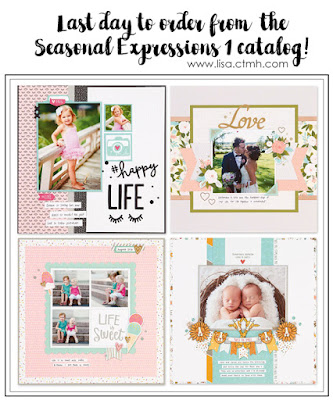
Close to my Heart’s Seasonal Expressions 1 catalog will be retiring and the new Seasonal Expressions 2 catalog will go live on May 1st! It’s your last chance to order your favorite retiring items! Most SE1 products are only available through April 30th while supplies last. Some items are already sold out, so be sure…
July Project Kit – Holographic Butterfly Card Kit
This month’s Creative Club project kit is a set of 10 beautiful 3-D holographic butterfly cards using the Butterfly Backgrounds Thin Cuts die. You will make 5 cards with different colored holographic paper on the top layer and 5 cards with the holographic paper peeking through the white die-cut cardstock top layer. There will not be…
Digital Layouts
I have to confess that I am a QVC junkie. OK, I said it. It’s out there, so there’s no taking it back now. Mock me if you will. LOL! I was turned onto QVC by my mom years ago when she showed me something that she ordered. (I can’t even remember what it was.)…
Taste of Summer Layout and Cards with FREE Cutting Guide
Have you seen Close to my Heart’s Taste of Summer Paper Packet and coordinating stamp set yet? It is a fun and “juicy” collection that is only available during the month of May. You can purchase the paper packet for just $8.95 and the stamp set for $17.95. And, if you order both of them…
Valentine-Themed Papercrafting Pajama Party!
Close To My Heart is teaming up with Big Picture Classes again to bring you a live webcast with step-by-step instructions for making this Valentine’s Day scrapbook page. It’s the perfect way to showcase your precious photos of that special someone. The free webcast will air Thursday, January 30 at 6:00 pm (PST). The Pajama…


I never heard of that. Was it a bad spam?(comment)
Hi Lisa,
You can change your comments so that they are moderated by you and have to be approved before they post. It is under settings and then comments. Click the enable comment moderation.
hth
Hi Kari. If you look at some of the comments on a few of my posts, there are a couple weird, random, spamlike comments.
Thanks Niki. I just went into that section and changed it so that now you have to type in that crazy code that will show up. I always hate those, but maybe it will help. If not, I will go back and enable the comment moderation too. *Ü*
Hi Lisa =} I just checked your Aloha post (cute btw) and clicked on fejar “Here” (is that spam?) and my Anti Virus poped up and said i was protected and started scanning for viruses.
You can delete those posts you don’t wannt.
I don’t have Word Verifacation on mine but i may add it.
Thanks for telling us.
Kari,
Yep. That is what I was talking about. There are five or six of them throughout my posts. Weird, huh?
Dumb question, but how do I delete a comment?
Lisa sign in like you were going to change things on your blog. and then on top it says (view blog) then when you click on your comments you’ll see a trash can by each poster. You can Trash the post you don’t want.
Let me know is this helps ok. =}
Thanks Kari. I never noticed that trash can before. Now to go back and find all of those crazy comments…
Happy to help. =}
Hey what i found helpful is when you are signed in to your blog. Go to upper right corner and there is a Help tab. I go there and when i need answers about somethings. There is a lot of feed back.
I’m tring to put music on my blog.
Know anything about that? “Help” LOL